Warehouse Barcode System: Definition, Function, Types, and How to Use It

In warehouse operations, companies need to identify and track every item accurately. Manual recording risks causing data entry errors, stock discrepancies, and shipping mistakes. Because of this, barcodes have become an essential technology in inventory management.
Barcodes speed up item identification and reduce manual logging. This technology can be used for receiving, storage, stock auditing, picking, and outbound operations to ensure inventory data is more accurate and controlled.
What is a Warehouse Barcode?
A warehouse barcode is a code in the form of line patterns or specific visual patterns used to store information regarding an item, location, or object within warehouse operations. The code can be read using a barcode scanner and translated into digital data.
In warehouse management, barcodes are typically used to identify products, SKUs, pallets, cartons, or storage locations. When the code is scanned, the system displays information related to that object so operators do not need to enter all data manually.
Barcodes themselves do not automatically constitute a warehouse management system. This technology functions as an identification medium that becomes optimal when integrated with a Warehouse Management System (WMS) or other inventory systems.
Why are Warehouse Barcodes Important?
Warehouse barcodes increase operational accuracy and speed through scanning processes that are far more efficient than manual entry. This technology helps operators identify items quickly during receiving, putaway, picking, and shipping activities.
Additionally, barcodes support traceability by recording the identity and movement history of items. As SKU volumes and transactions grow, barcodes help maintain data consistency, simplify stock verification, and accelerate operational error tracking.
Functions of Warehouse Barcodes
Barcodes can be utilized across various operational processes to enhance speed, accuracy, and inventory visibility, along with several key functions:
1. Item Identification
Barcodes assign a unique identity to products, enabling operators to recognize items rapidly. Details such as SKU, product name, or other attributes can be displayed via the system once the barcode is scanned.
2. Accelerating Receiving
During the receiving process, barcodes help operators inspect incoming goods much faster. Scanners read product identities and match them against order data, making the intake process far more efficient.
3. Controlling Storage Locations
Barcodes can also be applied to racks, bins, or storage areas. Operators can scan a location code before placing items, ensuring the system knows the exact location of all inventory.
4. Supporting Stock Audits (Stock Opname)
During stock auditing, barcodes speed up counting and logging goods. Operators simply scan product codes so counts are immediately recorded and reconciled with inventory records.
5. Improving Order Picking Accuracy
Barcodes help verify that retrieved items match order requests. Operators scan items before picking or moving them, minimizing mispicking risks.
6. Supporting Outbound Processes
Prior to dispatch, barcodes can be used to verify products, quantities, and customer orders. This step ensures items leaving the warehouse accurately correspond to shipping documents.

Types of Barcodes Used in Warehouses
Not all barcodes share the same format or data capacity. Choosing the right barcode type depends on operational needs and scanning hardware. Here are common barcode types used in warehouses:
1. 1D Barcode
1D or linear barcodes use parallel vertical lines to store data. This type is widely used for product identification and is simple to print and scan.
2. QR Code
A QR Code is a 2D barcode that stores information in a square grid pattern. It offers greater data capacity than linear barcodes and can be read by various scanner hardware and devices.
3. Data Matrix
Data Matrix is a 2D barcode that holds significant information in a compact footprint. This format is ideal when label space is limited but comprehensive product data is required.
4. Code 128
Code 128 is a linear barcode capable of encoding alphanumeric characters, widely adopted in logistics. It is well suited for identifying products, pallets, cartons, and operational paperwork.
5. GS1 Barcode
GS1 barcodes adhere to global supply chain identification standards. Using them helps companies maintain consistent item data across transactions with suppliers, distributors, and business partners.
Components of a Warehouse Barcode System
Barcode implementation requires more than physical labels; several supporting components ensure smooth scanning workflows, including:
1. Barcode Labels
Barcode labels serve as the physical media displaying the identification code. Labels must feature appropriate sizing, print quality, and material suited to warehouse environmental conditions for reliable readability.
2. Barcode Scanners
Barcode scanners decode the information encoded within barcodes. Devices range from handheld scanners and mobile computers to specialized equipment configured for warehouse workflows.
3. Mobile Devices
Mobile terminals empower operators to perform scanning while accessing system data directly on the warehouse floor. These devices boost mobility and eliminate constant trips to fixed workstations.
4. Warehouse Management System (WMS)
A WMS connects physical scanning activities directly to warehouse operational workflows. Scanning a barcode enables the system to update stock, log locations, trigger tasks, or change item statuses in real time.
5. Network Infrastructure
Reliable wireless network connectivity is essential for scanning devices to communicate seamlessly with core databases. Strong network infrastructure ensures scanning results are processed and updated instantly.
How to Optimize Barcode Usage in the Warehouse
To maximize the performance of warehouse barcodes, organizations should focus on several key best practices:
1. Standardize Master Data
Ensure every SKU possesses a unique identifier and consistent record details. Structured master data provides the foundation for accurate barcode application across all warehouse operations.
2. Use High-Quality Labels
Select label materials and dimensions suitable for specific facility environments. Barcodes must remain clearly scannable even when exposed to dust, moisture, friction, or extreme temperatures.
3. Integrate with a WMS
Link barcode scanning directly to the WMS so scan events instantly reflect in inventory transactions. Integration improves inventory visibility while eliminating manual data entry.
4. Train Warehouse Staff
Provide comprehensive training on scanning techniques, device care, and troubleshooting unreadable barcodes. Well-trained personnel help maintain operational accuracy and consistency.
5. Regularly Evaluate Performance
Track key performance indicators (KPIs) such as Inventory Accuracy, Picking Accuracy, and Error Rate to gauge barcode effectiveness. Use evaluation results to refine hardware, procedures, or master data quality.
Example of Warehouse Barcode Utilization
Consider a distribution enterprise managing 5,000 SKUs and receiving hundreds of cartons daily. If all incoming shipments were processed manually, operators would spend excessive time logging product codes and quantities line by line.
Using barcodes, every carton bears a unique label scanned upon arrival in the receiving area. The system immediately matches the barcode with purchase orders, helping operators verify accurate receipt in real time.
Once receiving is complete, the operator scans the storage bin's barcode before putaway. When items are later retrieved for order picking, the system instantly identifies exact stock locations using prior scan histories.
Barcode Workflow in Warehouse Operations
To use warehouse barcodes effectively, operations generally follow several key stages:
1. Item Identity Creation
Each product unit, pallet, carton, or inventory item is assigned a barcode according to company indexing guidelines. This information is linked to core master data within the central system.
Label Printing and Placement
Barcodes are printed onto labels tailored to item sizes and handling conditions. Labels must be placed in clearly visible locations protected from physical wear during storage.
3. Receiving Scanning
Upon shipment arrival, operators scan barcodes to identify products. Scan data validates incoming shipments against receiving manifests and updates current inventory status.
4. Scanning Saat Putaway
Following receiving, operators scan both the item barcode and the target bin or rack barcode. The system links the item to its precise location, improving inventory tracking accuracy.
5. Picking Scanning
When assigned picking tasks, operators navigate to specified locations and scan item barcodes. The system verifies that selected items match order requirements in real time.
6. Packing Scanning
At the packing stage, staff scan items once more to double-check package contents. This secondary verification significantly reduces shipping errors prior to order dispatch.
7. Outbound Scanning
Before transport vehicles depart, barcodes are scanned to confirm outbound packages correspond to shipping schedules. Scanned data becomes part of the permanent inventory transaction history.
Connecting Warehouse Barcodes with a WMS
A Warehouse Management System (WMS) acts as the bridge connecting physical barcodes to operational processes. Whenever an operator performs a scan, the WMS utilizes that data to update stock levels, log locations, and direct task execution.
During receiving, the WMS matches barcodes against Purchase Orders. During putaway, barcodes ensure products are stored in correct locations. During picking and outbound steps, scanning validates items before further processing.
Through this integration, barcodes evolve from simple identification tags into a vital component of end-to-end inventory control.
Warehouse Barcodes with Prieds WMS
Prieds WMS enables businesses to leverage barcode technology within a fully integrated warehouse management workflow. Barcodes support receiving, putaway, inventory movements, stock audits, picking, packing, and dispatch with real-time data synchronization.
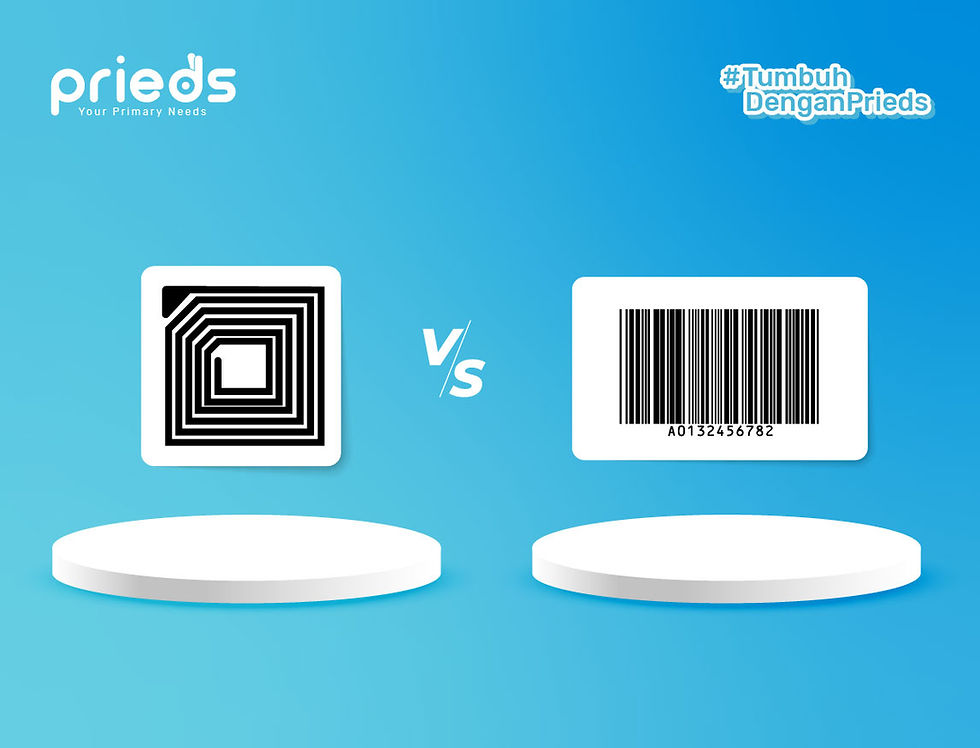
Prieds WMS also supports integration with RFID, ERP software, and other operational hardware, giving businesses the flexibility to choose optimal tracking technologies. Connected systems enhance inventory accuracy, traceability, and operational efficiency without reliance on manual logs.
In addition to offering a WMS that integrates with barcode systems, Prieds provides barcode hardware, including Barcode Scanners.
Consult your business needs with the Prieds expert team to identify the most suitable solutions for your operations.