Complete Explanation of RFID Scanner: Definition, Functions, Types, and How It Works

In warehouse operations, item identification must be fast and accurate so physical stock matches system data. Manual logging risks slowing down work, causing errors, and making inventory tracking difficult.
An RFID Scanner helps read information from RFID tags wirelessly. This technology speeds up identification, tracking, and inventory management in an integrated manner.
What Is an RFID Scanner?
An RFID Scanner is a device used to read information on RFID tags using radio waves. The data read is then forwarded to a system to identify items, locations, or specific objects without having to scan labels directly like with barcodes.
RFID stands for Radio Frequency Identification, an identification technology that uses radio communication between an RFID reader and an RFID tag. When a tag is within reading range, the scanner can receive the identity information stored inside it.
In warehouse operations, an RFID Scanner is usually part of a system consisting of an RFID Reader, RFID antenna, RFID tags, communication networks, and software. The integration of all these components allows inventory data to be processed automatically and in real time.
Functions of an RFID Scanner in a Warehouse
RFID Scanners can be applied to various warehouse activities to increase operational efficiency and accuracy, including:
1. Item Identification
The RFID Scanner reads the identity stored on the RFID tag and forwards it to the system. Thus, operators can know which items are in a specific area without having to log product identities manually.
2. Accelerating the Receiving Process
When goods arrive at the warehouse, an RFID Scanner can be used to read tags on pallets, cartons, or products. This data helps operators verify receipts much faster and reduces manual data entry work.
3. Supporting Stock Audits (Stock Opname)
An RFID Scanner enables the inventory counting process to be completed faster because multiple tags can be read at once. This helps companies reduce stock audit times while improving visibility into stock conditions.
4. Tracking Item Movement
Every RFID scan creates a record of item movement. Systems can use this data to know when and where items were identified, significantly improving traceability.
5. Monitoring Inventory Locations
By placing RFID Readers in specific areas, companies can know item locations whenever a tag is detected. This information helps increase inventory location visibility and reduces item search time.
6. Supporting Outbound Processes
RFID Scanners can be used for verification before goods leave the warehouse. The system can compare the read tags with order data, reducing the risk of shipping errors.

Components of an RFID Scanner System
An RFID Scanner does not work alone. Several components must be interconnected so that identification and data management processes run optimally, including:
1. RFID Tag
An RFID tag is a device that stores item identity information. Tags can be attached to products, cartons, pallets, assets, or other objects to be tracked.
2. RFID Reader
An RFID Reader is a device that transmits and receives radio signals to read information from RFID tags. The reader serves as the main link between the tags and the data management system.
3. RFID Antenna
Antennas are used to emit and receive radio waves from the RFID Reader. Antenna configuration affects coverage area and tag reading quality in the warehouse environment.
4. Software or Warehouse System
Software processes data received from the RFID Reader and converts it into operational information. This data can be used to update stock, locations, item statuses, or transactions.
5. Network Infrastructure
Networks allow RFID devices to communicate with servers or central systems. A stable infrastructure is essential to ensure scanned data can be transmitted and processed quickly.
How an RFID Scanner Works
An RFID Scanner works through communication between reader and tag using radio waves. When an RFID tag enters the read area, the reader sends a signal and receives a response from the tag containing identity information.
Once data is received, the RFID Reader forwards it to the software over a communication network. The system then matches that information with a database to identify the item, location, status, or related transactions.
For example, when a pallet passes through an RFID gate in the outbound area, the reader reads the tag on the pallet automatically. The system then compares the pallet data with the order to be shipped and logs the outbound transaction if all information matches.
Types of RFID Scanners
Selecting an RFID Scanner needs to be tailored to activity requirements, warehouse layout, inventory volume, and required read distances. Types of RFID Scanners include:
1. Fixed RFID Reader
Fixed RFID Readers are permanently installed at specific locations such as warehouse doors, conveyors, loading docks, or gates. These devices are suitable for automatically monitoring goods passing through a fixed point.
2. Handheld RFID Reader
Handheld RFID Readers are portable devices that operators can carry around. This type offers high flexibility for scanning across various warehouse areas and is ideal for stock auditing and inventory searching.
3. Integrated RFID Reader
Integrated RFID Readers are units integrated into other equipment such as gates or conveyor systems. This solution can be used to automate identification as items move past a specific point.
4. RFID Reader for Mobile Devices
This type allows mobile devices to be paired with an RFID module so operators can perform scanning while moving through the warehouse. It supports operations that demand high mobility.
RFID Scanner vs. Barcode Scanner
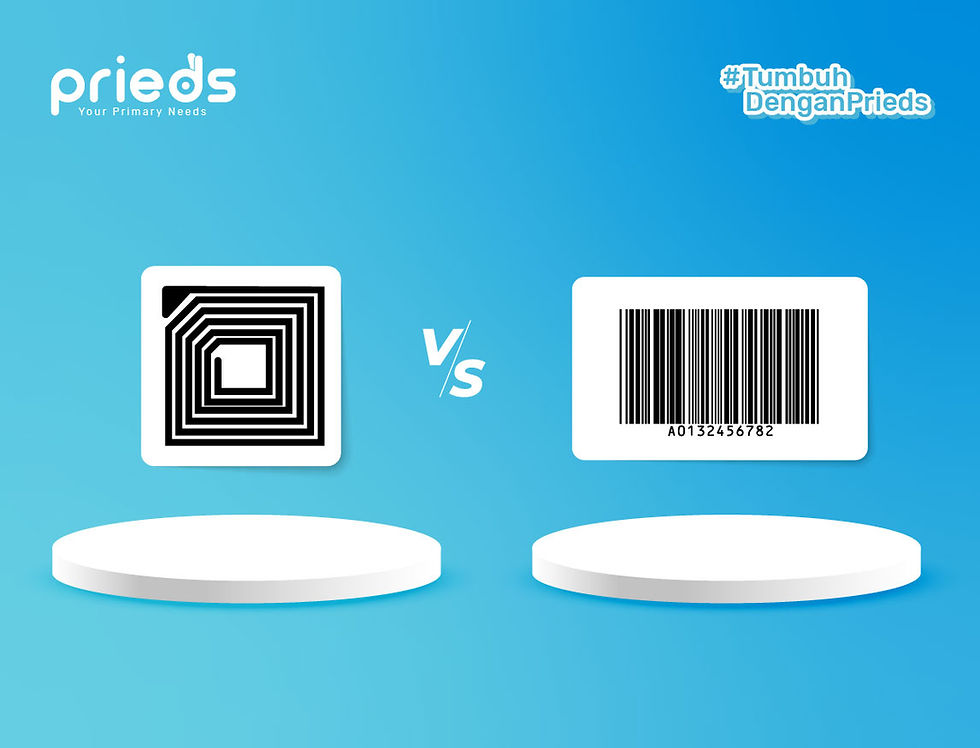
RFID Scanners and barcode scanners are both used for item identification, but they use different reading methods. Barcodes generally require line-of-sight scanning, whereas RFID can read tags without direct contact.
In certain conditions, RFID can also read multiple tags simultaneously. This makes it attractive for high-speed processes like stock audits, gate monitoring, or pallet tracking.
However, barcodes still hold advantages in terms of simplicity and implementation costs for certain needs. Therefore, technology selection should consider operational characteristics rather than relying on a single technology for all processes.
Example of RFID Scanner Implementation in a Warehouse
Imagine a distributor company moving thousands of pallets every day. Using manual methods, operators must scan barcodes one by one as goods enter and leave. That process requires significant time and labor.
The company then installs RFID tags on each pallet and an RFID gate in the receiving area. When vehicles arrive, pallets pass through the gate, and all tags within range are read automatically.
The read data is forwarded to the WMS to match information against Purchase Orders. If the items match, the system updates receiving status and prepares subsequent steps without requiring repetitive manual input.
Process of Using RFID Scanners in a Warehouse
Using RFID Scanners in a warehouse takes place through several integrated stages, starting from tagging to updating inventory data in the system.
1. Applying RFID Tags
Every product, pallet, carton, or asset to be tracked is assigned an RFID tag. The tag's identity information is then registered in the system to link it to inventory data.
2. Data Registration
RFID tag information is linked to master data such as SKUs, serial numbers, batches, or asset IDs. This step ensures every tag has a clear relationship with its physical object.
3. Tag Reading
When goods enter the RFID Reader's range, radio signals are used to read information from the tags. The reader can receive data from one or multiple tags depending on system configuration.
4. Data Transmission to the System
Scanned data is sent over the network to the software or WMS. The system then processes this information based on ongoing transactions.
5. Transaction Validation
The WMS validates the RFID data against order details or warehouse activity. This step helps ensure items received, moved, or shipped are accurate.
6. Inventory Update
Once a transaction is validated, the system automatically updates stock counts, locations, or item statuses. This data is immediately available to operational teams and management.
How to Choose the Right RFID Scanner
Selecting an RFID Scanner should be based on operational needs, item characteristics, and warehouse conditions. The right device can improve reading accuracy while avoiding unsuitable investments.
1. Determine Usage Needs
Identify activities that will use the RFID Scanner, such as receiving, stock auditing, item searching, gate monitoring, or outbound processing. Fixed scanning needs differ from mobile operator scanning needs.
2. Select Scanner Type Based on Mobility
Use Fixed RFID Readers for automated processes at gates, conveyors, or loading docks. Meanwhile, Handheld RFID Readers are better suited for stock audits, item searches, and tasks requiring operator movement.
3. Consider Read Distance and Area
Ensure the device read range fits the warehouse layout and item positions. Too short a range can slow operations down, while too wide a coverage area can cause tags in adjacent areas to be read unintentionally.
4. Match with Item Characteristics
Materials like metal, liquids, and certain packaging can affect RFID performance. Select scanners, antennas, and RFID tags compatible with your item types to keep read results consistent.
5. Evaluate Read Speed and Capacity
For high-volume warehouses, choose devices capable of reading multiple tags quickly and stably. Reading capacity must match the volume of items passing through the scan area at a given time.
6. Check System Compatibility
Ensure the RFID Scanner can integrate with your WMS, ERP, mobile devices, or other software. Support for standard communication protocols and APIs will streamline integration.
7. Consider Device Durability
For warehouse environments, pick rugged devices with appropriate ingress protection against dust, impacts, humidity, and temperature fluctuations. Handheld scanners should also feature an ergonomic design and sufficient battery life for operator shifts.
8. Calculate Total Cost and Conduct Field Trials
Consider total implementation costs, including RFID tags, antennas, installation, software integration, maintenance, training, and component replacements. Before a full-scale deployment, conduct pilot tests to evaluate read rate, accuracy, range, speed, and compatibility with daily operations.
Achieve Efficient and Accurate Warehouse Management with RFID Technology
RFID technology offers numerous benefits to boost business performance, particularly in warehouse management. Through these devices, companies can automate warehouse operations ranging from inbound stock processing and stock audits to tracking end-to-end business assets. This grants businesses end-to-end operational visibility.
Improved accuracy and efficiency in warehouse management directly benefit the bottom line. With RFID implementation, companies gain not only clear operational visibility but also enhanced customer service through real-time data updates. Accurate information makes it easier to fulfill customer demand quickly and precisely.
To maximize RFID utilization and reap its benefits, businesses can integrate this technology with software such as a WMS. Software connected with RFID acts as a centralized hub for data management and storage.
As a provider of configurable WMS and RFID Systems, Prieds Technology provides solutions that enable seamless warehouse management by integrating hardware like RFID equipment with software. The feature-rich capabilities of Prieds WMS and Prieds DERAS RFID help companies manage warehouse stock accurately and efficiently through a unified system.
You can learn more about applying RFID and software integration by booking a consultation with the expert team at Prieds. Get Prieds WMS and RFID solutions equipped with complete features, top-tier security, and ease of use tailored to your business needs.